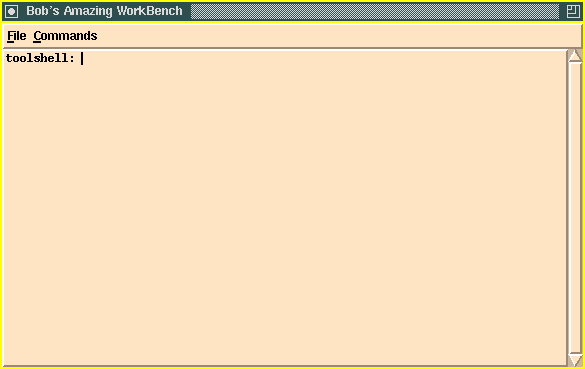
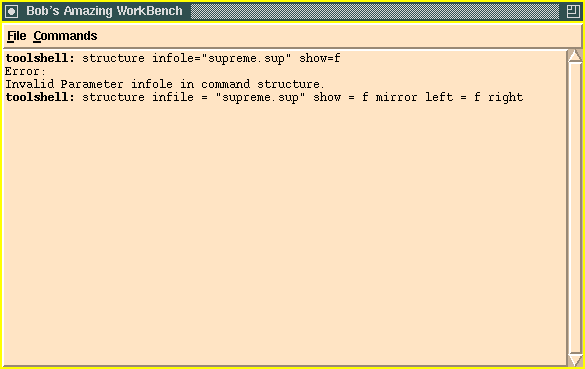
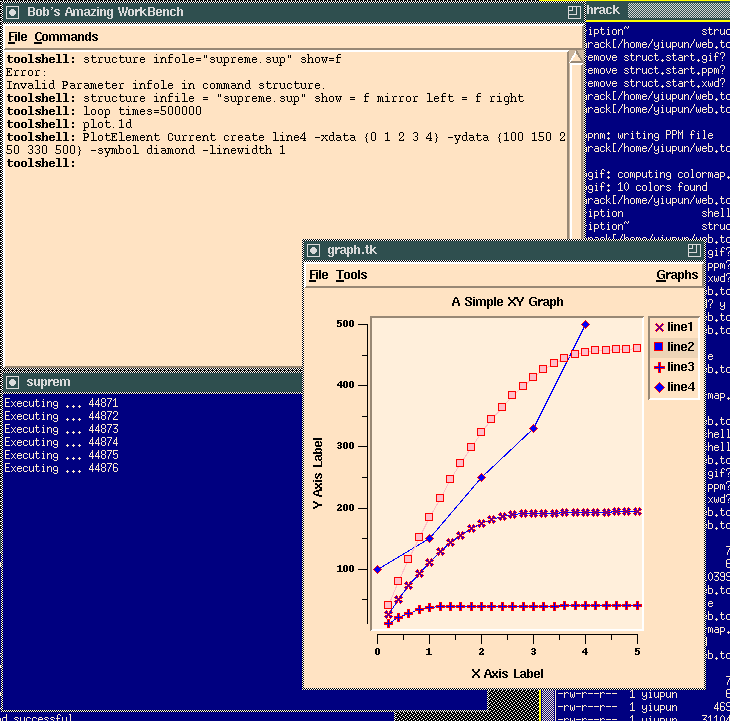
The tool shell, currently a TCL script, is up and running at this point.
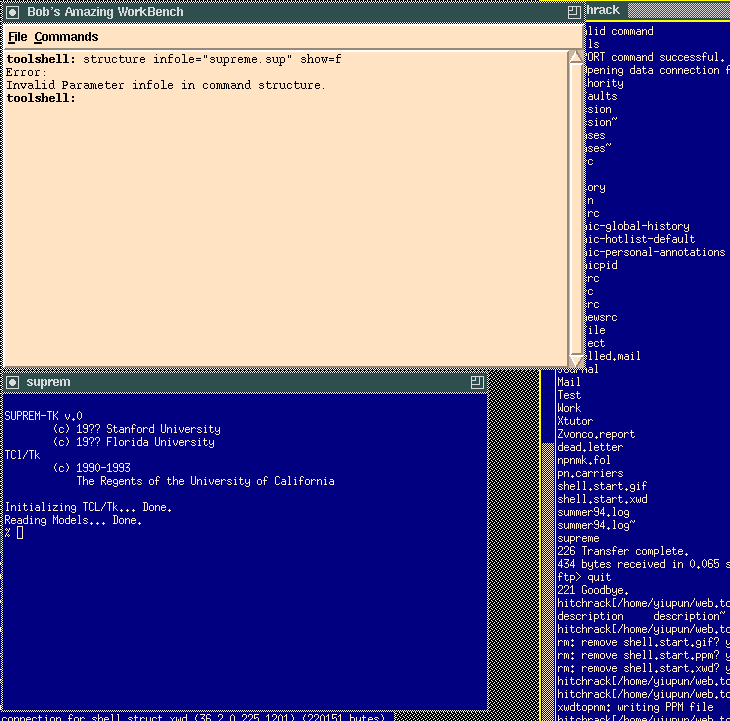
After the user typed in a command, the tool shell would parse it to decide which tool it should go to, and send it the command to be executed. If the tool is not currently executing, it would start a new process and load in the appropriate code before sending the command. In this case, structure is a supreme command, so suprem gets loaded by the shell. Since there is a typo in the command, an error message is sent back to the shell, and suprem does nothing (other than error checking).
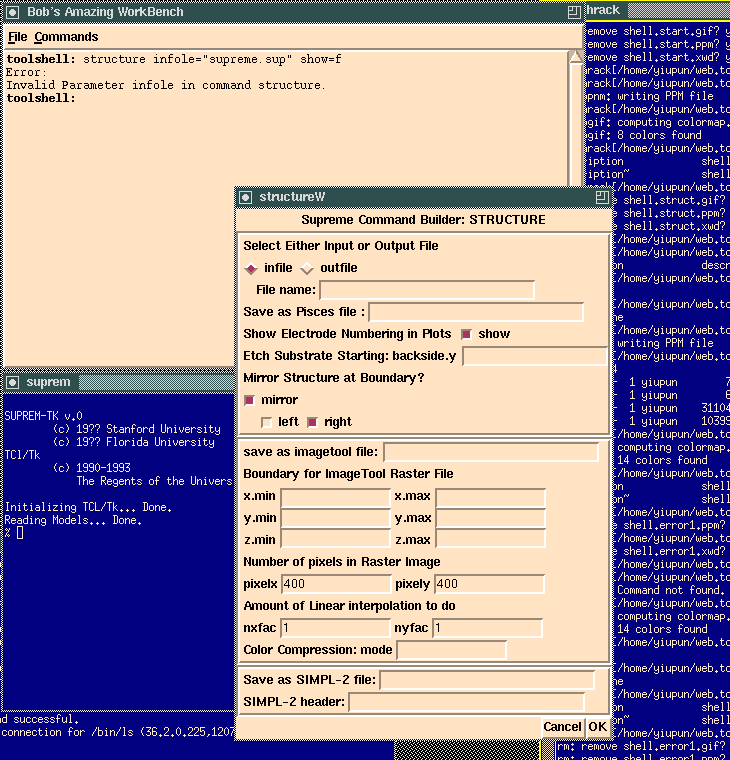
A less error prone method for entering a command is to select the command from the command menu. Doing so brings up a dialog window with all the relevant parameters displayed. The user can easily fill in the form with the necessarily information.
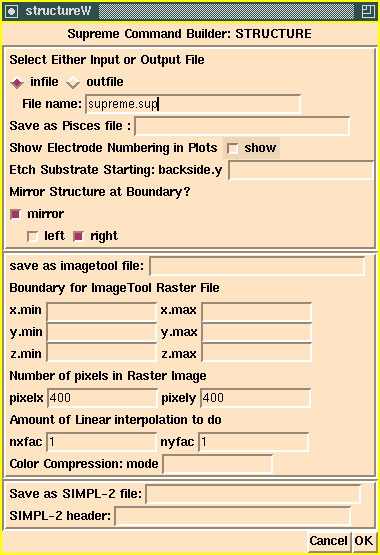
The user has entered the appropriate information into various fields: an infile called supreme.sup should be used, and the show flag should be off.
After clicking on the OK button, the structure command is automatically filled in with the appropriate parameter values using information specified by the user on the form. The user now has a chance to further edit the command before execution using the return key.
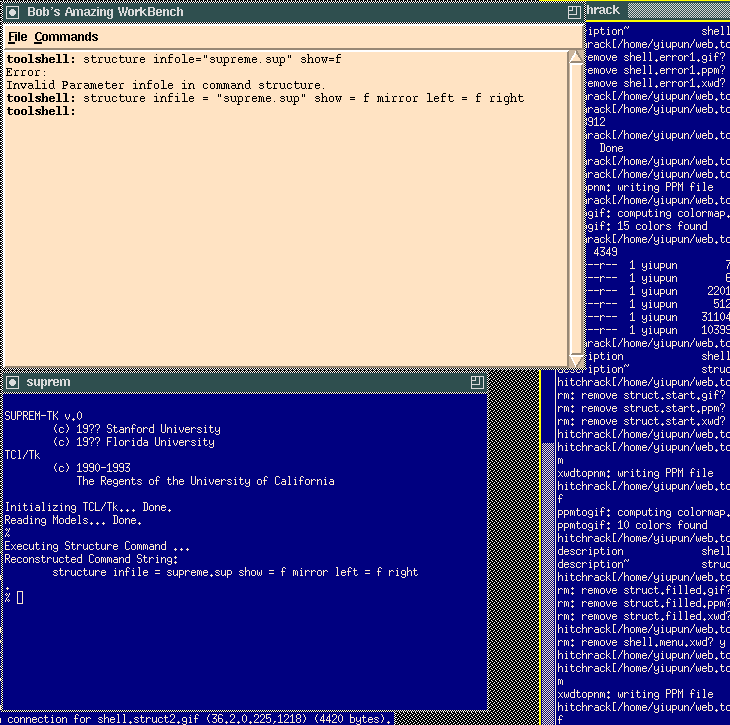
When the user press return, the tool shell sends the command to supreme to be executed. Since we only have a prototype, the only things the supreme shell does are syntax checking, as well as displaying the parameters that it had received in its window.
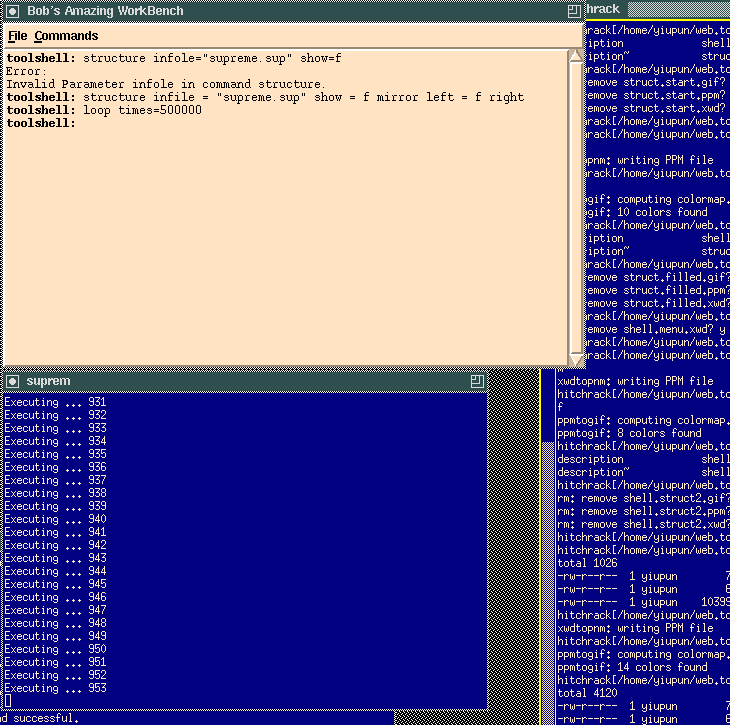
Since the tool shell and the individual tools are running as separate processes, we can have a particular tool executing a long calculation in the background, and the shell would stay responsive and continue to accept commands from the user. Here we ask the prototype TCL suprem to execute a dummy routine that does nothing other than incrementing a counter and displaying the current counter value on the screen
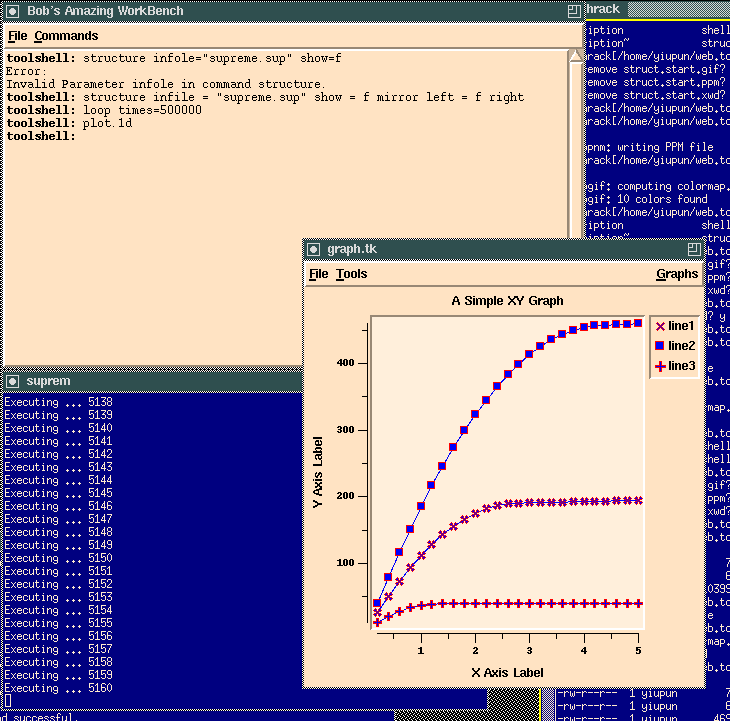
While suprem is busy running in the background, we can use the command shell to continue issuing commands to other tools. A prototype graphing tool was loaded using the command plot.1d from the command shell.
Resulting screen shot after sending the graphing tool (graph.tk) a command to add a new data curve. We can see supreme is still running in the background.